Working with visual artefacts
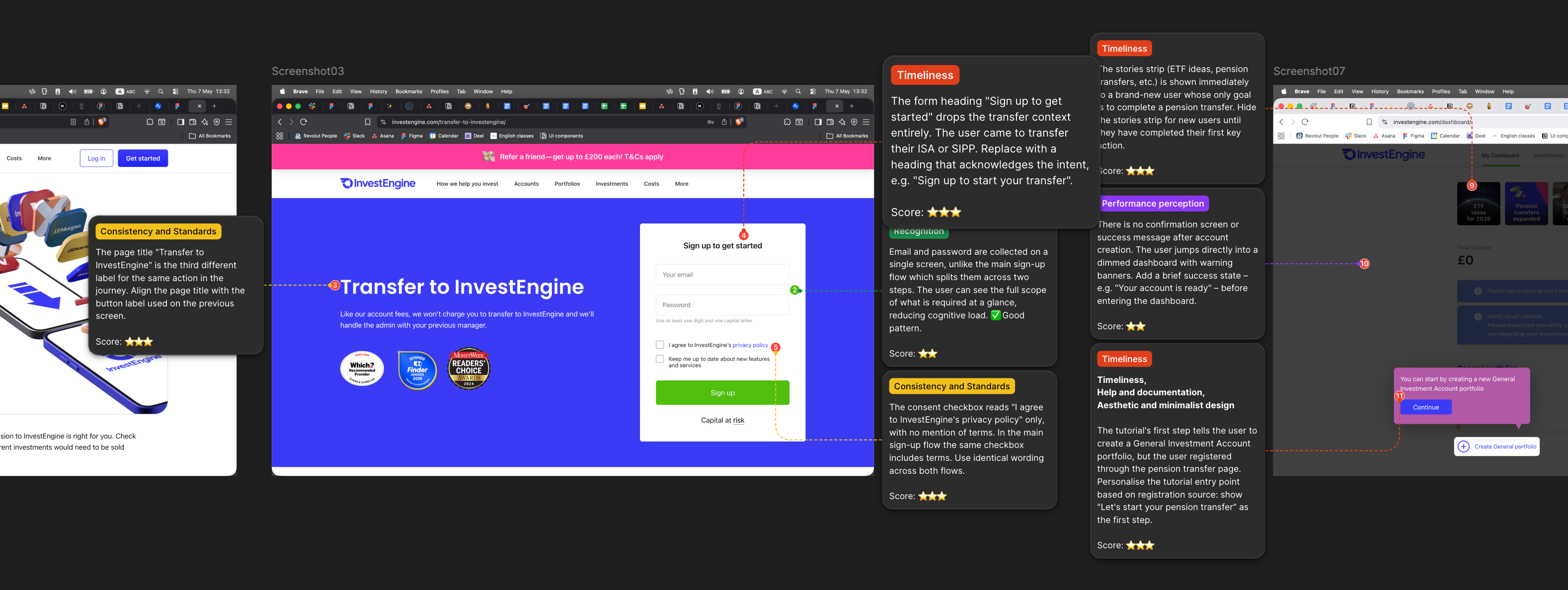
I have created a Claude Code agent that takes the url of a Figma page and automatically conducts a user experience audit of the mock-ups, adding annotations to specific design elements. The agent has been trained using an audit methodology I developed myself – this includes the names and descriptions of good UX principles, an assessment of their importance, and rules for evaluating interface elements.
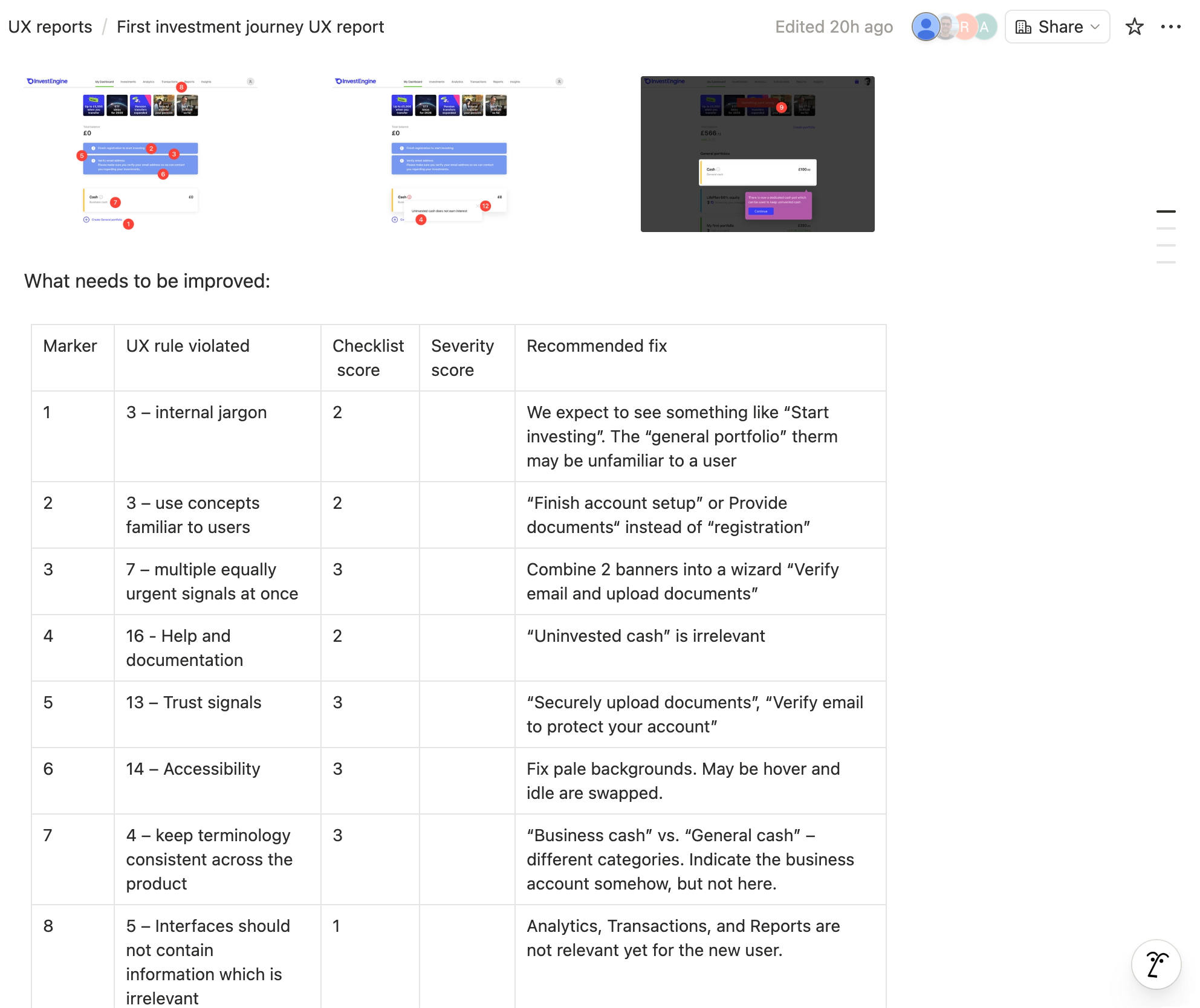
In addition to a description of the issue, a score, and a recommended fix, each notification is assigned a category corresponding to the class of the UX principle. The agent also saves an .md file containing a table of the issues found.
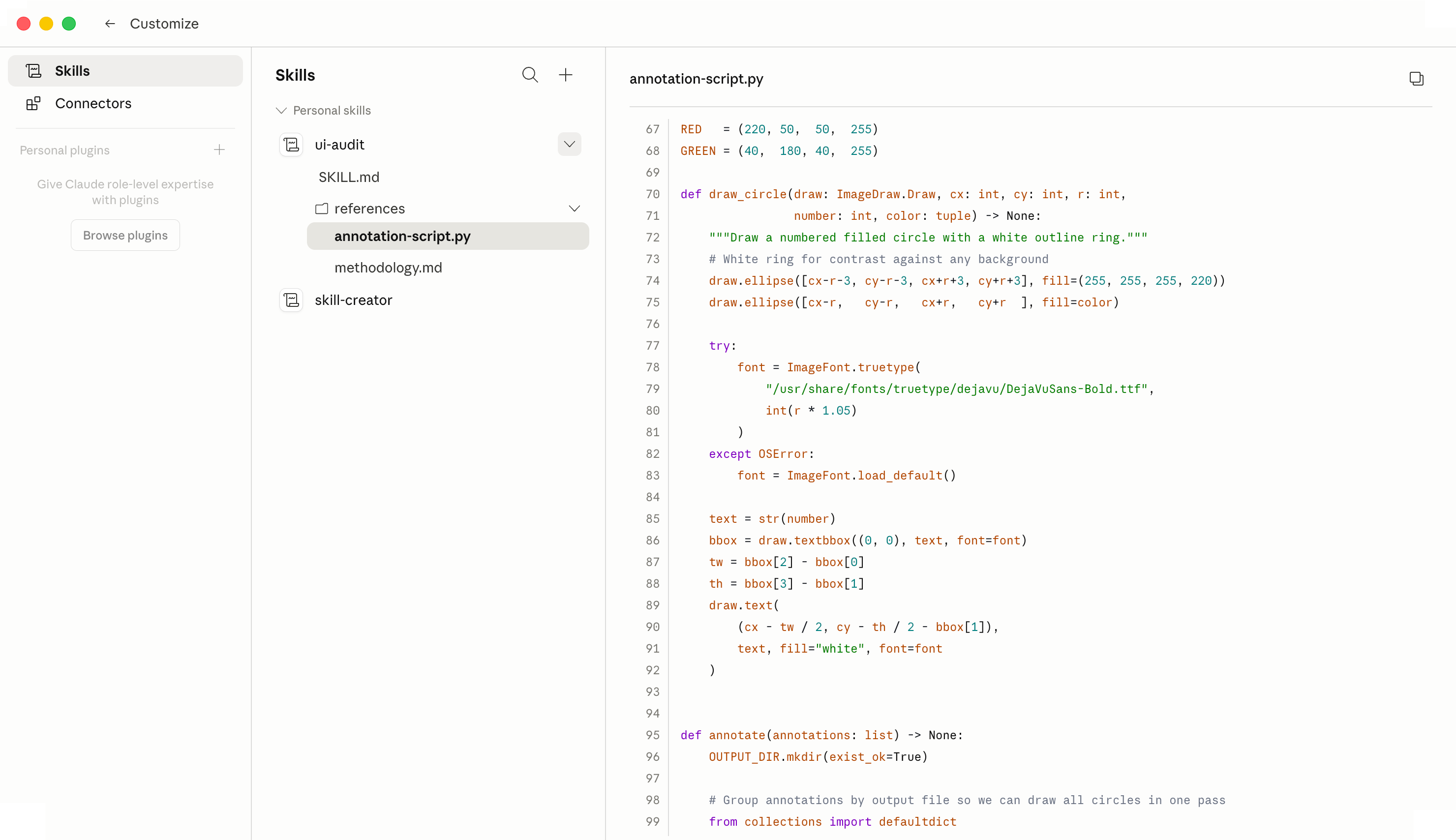
But what if there are no Figma mock-ups, only screenshots? For this scenario, I’ve trained both Claude and Notion AI and created a script that highlights specific interface elements right in the screenshots. I also retrieve page view statistics from Amplitude (this can be automated, but more on that later) and add them as a weighting factor for the assessment.
Based on each audit result, a new article is created in Notion using the template I designed. All the user needs to do is ask for the issues to be prioritised – for example, to identify the 5 most important ones.
Having assessed the results, I can say that Claude is quite good at identifying UI issues, inconsistencies and typos, but is not yet capable of detecting more fundamental UX problems, mainly due to a lack of understanding of the connections between screens. Nevertheless, the results of the automated audit can be used to train novice designers.
Problem
The problem is that automation generates vast amounts of text that people simply don’t have time to read, and the few valuable gems get lost in a sea of trivialities, distracting the reader. AI itself is not yet capable of distinguishing the trivial from the valuable, so people still have to spend a great deal of time double-checking the results. Or else they give up and settle for a slapdash result.
Solution
In the end, I settled on the following process: during a Zoom meeting with another designer, we discuss the product, take screenshots, highlight UX issues and, most importantly, record audio (with each participant on a separate track). The audio is then transcribed and sent to the AI agent along with the screenshots. After processing this information, the AI agent tags the screenshots, fills in the tables detailing breaches of UX principles, and creates an article in Notion. All that remains is to ask the agent to check the screenshots once more and spot anything we may have missed. The AI then selects the 7 most important fixes; we choose 5 of them and send the article to the product owner for a final decision.
As for the data from Amplitude mentioned earlier, I tried using page traffic as a severity score, but predictably, a minor detail on the homepage received a higher severity rating than a critical issue on a rarely visited page (such as the registration completion page). We have therefore decided to abandon the automated severity scoring for the time being and leave it to human judgement.
Final conclusion
Whilst automation could previously be achieved using Python code or Apple Automator or Photoshop macros, it has now become more accessible to a wider audience, thanks to the computer’s ability to understand natural human language. It was the junior designers who saw the greatest increase in productivity from the use of AI, whilst the lead designer’s workload in terms of quality control increased. Principal designers still carry out similar work more quickly and to a higher standard. But this probably won’t go on forever. If we want to keep pace with the future, we need DesignOps to train local models and the necessary equipment.
Working with source code
The lack of comprehensive documentation and a complete customer journey map is a problem I have encountered at several companies. This has always made the work of designers and the compliance team more difficult. So, I’ve built product audit tools that work not only from screenshots and Figma files, but from the product’s source code itself.
My tools read the code and write documentation, assemble an advanced customer journey map, a flowchart and a map of screens, and highlight likely usability problems – for instance, application states the user is never informed about.
The analysis of source code takes place in 7 stages and is divided into 3 conceptual levels:
- The user’s goals, intentions, decisions and actions
- What happens in the interface and which states are available
- What happens inside the programme under the hood
The AI records the results of the analysis, describes the diagrams in Mermaid language, and carries out internal checks. Visualisation in Figma takes place as a separate stage.
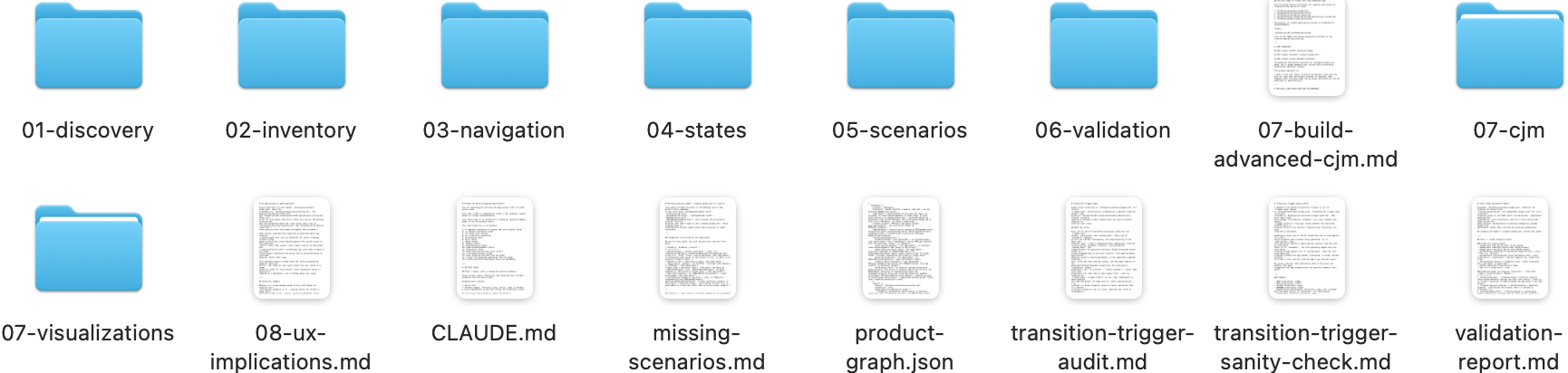
The honest assessment of performance: Claude Code took 1.5 hours running in the background, and another half an hour was spent fine-tuning the diagrams manually. Claude Code also spent another 1.5 hour taking screenshots automatically – which meant that it was impossible to use the computer during that time. Tasks like this can be delegated to AI overnight. Be sure to take a look at the final diagram in Figma.
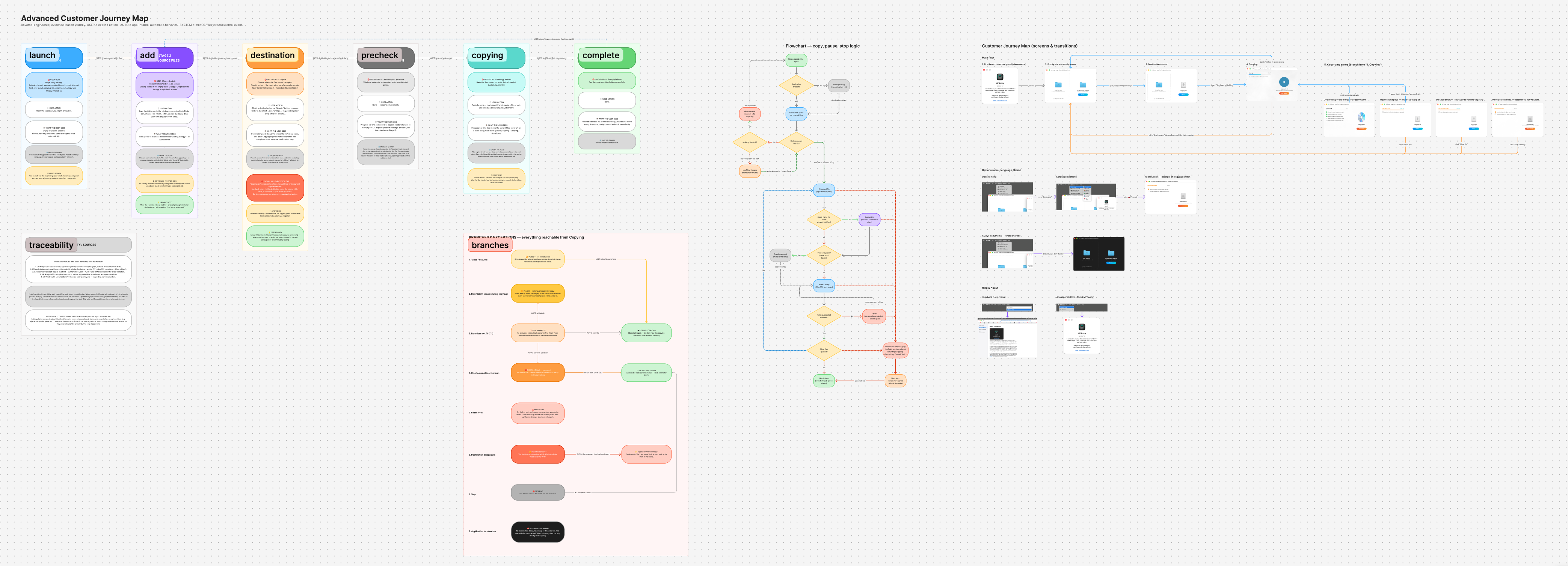
Here are some examples of interesting findings uncovered by my AI tools whilst analysing the source code:
- What the user sees: files appear in a queue. Header reads “Waiting to copy”. Hypothesis: no loading indicator exists during background scanning. May create uncertainty about whether a large drop registered.
- User goal: choose where the files should be copied. Known implementation gap: no check exists for the destination being the source folder itself, a subfolder of it, or an ancestor of it.
- Open question: first-launch-via-file-drop timing race: which element (About panel vs. main window) ends up on top is unverified. Low priority.
In addition to the UI audit tools described at the beginning of this article, my AI-powered code analysis tools identify shortcomings in terms of user goals and expectations, as well as programme behaviour, which will prove extremely useful even for an experienced product designer.
And here is an example of documentation written entirely by Claude Code after analysing the source code of my programme. The screenshots were also selected by the AI. The documentation has been automatically translated into 9 languages (I merely made a few minor adjustments to the texts in the languages I know).