AI isn’t just about neural networks, it also encompasses other forms of automation I’ve been using for a very long time (for example, smart actions in Photoshop first appeared 30 years ago, and Automator in macOS was introduced 20 years ago). As a graduate of the Faculty of Process Automation and Intellectualisation, I make the most of every opportunity. However, on this page I will focus specifically on the use of neural networks and local models.
I use them on a daily basis, primarily to speed up communication, generate images, voiceover, carry out statistical analysis and produce prototypes.











Communication
I record my Zoom meetings with colleagues as separate audio tracks for each participant. The reason is that Zoom’s speech recognition isn’t good enough, so it’s better to leave it to third-party tools. I upload the recorded audio tracks to MacWhisper using the local Parakeet v3 model from NVIDIA. The output is a set of text files (one for each participant) with timestamps. Even if speakers interrupt one another, every word is preserved in full. Next, the Claude AI agent compiles everything into a single file and provides a brief summary of the meeting. I post the summary in the group chat and attach the full transcript. The result is much better than the summary generated by Zoom. This is crucial for collaboration both within the team and beyond.
I also use Spokenly with ultra-fast local models for voice input. It’s around 20% faster than typing, more accurate than built-in speech recognition, and helps reduce token usage when working with AI tools.
Voiceover
When developing the video voice-over guidelines for InvestEngine, I selected a female and a male voice from ElevenLabs, placing particular emphasis on a British accent and intonations that align with the brand’s positioning. Some of our videos feature AI voice-overs, whilst others feature real people.
Recorded real-life voices usually need to be denoised. Noise reduction using neural networks (such as ElevenLabs) does not always cope well with this task. We should always check whether there is a way to achieve a better result than a neural network can provide. In this case, it’s a good old spectral denoiser such as the TC Electronic Spark XL or iZotope RX. They also use AI, but of a different type to neural networks, which is why they produce a clearer sound.
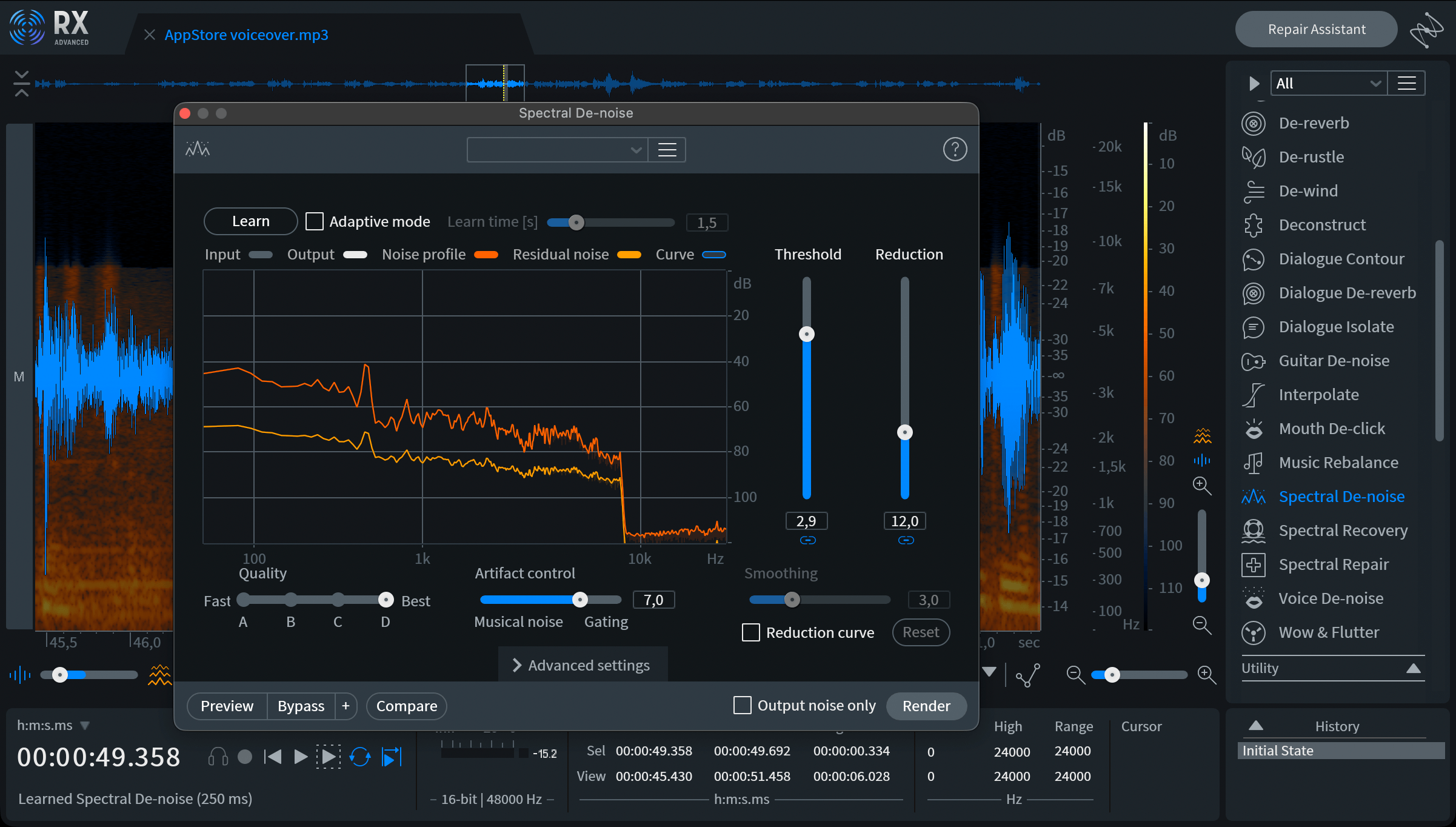
To achieve a professional-quality sound, you’ll also need to manually control the level using envelopes (for example, in Apple Logic), as well as adjust the voice enhancer plug-in to control the timbre of the voice. You can then upload the prepared material to ElevenLabs to master the voice using a neural network. It’s worth noting that we rented a studio and professional video recording equipment, so the sound quality had to match the picture quality – which is why it’s not enough simply to feed the audio track into a neural network.
Image generation
At InvestEngine, I reduced the designers’ use of Cinema 4D and the Arnold renderer by replacing it with object generation based on an existing set of 3D images. The new process proved to be cheaper and faster, even though it sometimes required manual tweaking of the generated images in Photoshop. However, for high-quality 3D, we have to use Cinema 4D.

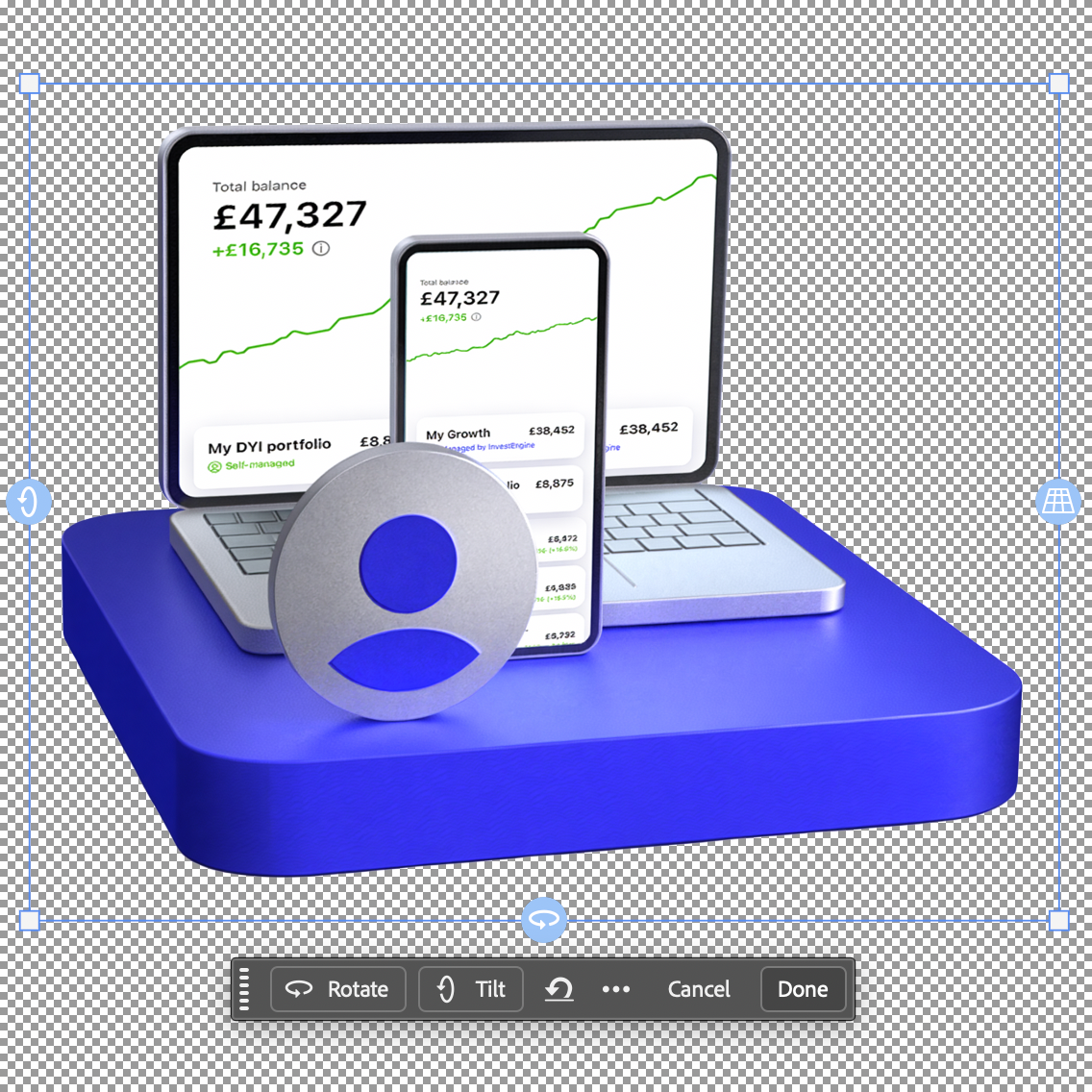
As for photorealistic images of people, we have long wanted to use them in InvestEngine’s marketing materials, and neural networks have finally made this possible. I’ll illustrate the process with a couple of examples.
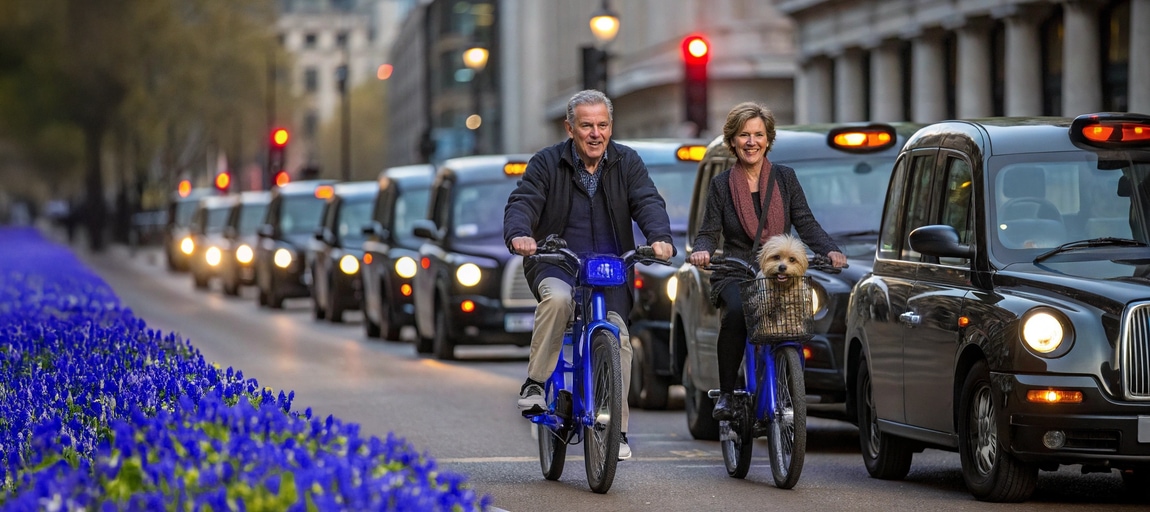
Instead of endlessly tweaking the prompt and drinking yet another cup of coffee whilst waiting for the render (as is usually recommended in adverts for AI services), I load the image into Photoshop and use its smart object selection feature, which is also powered by AI.
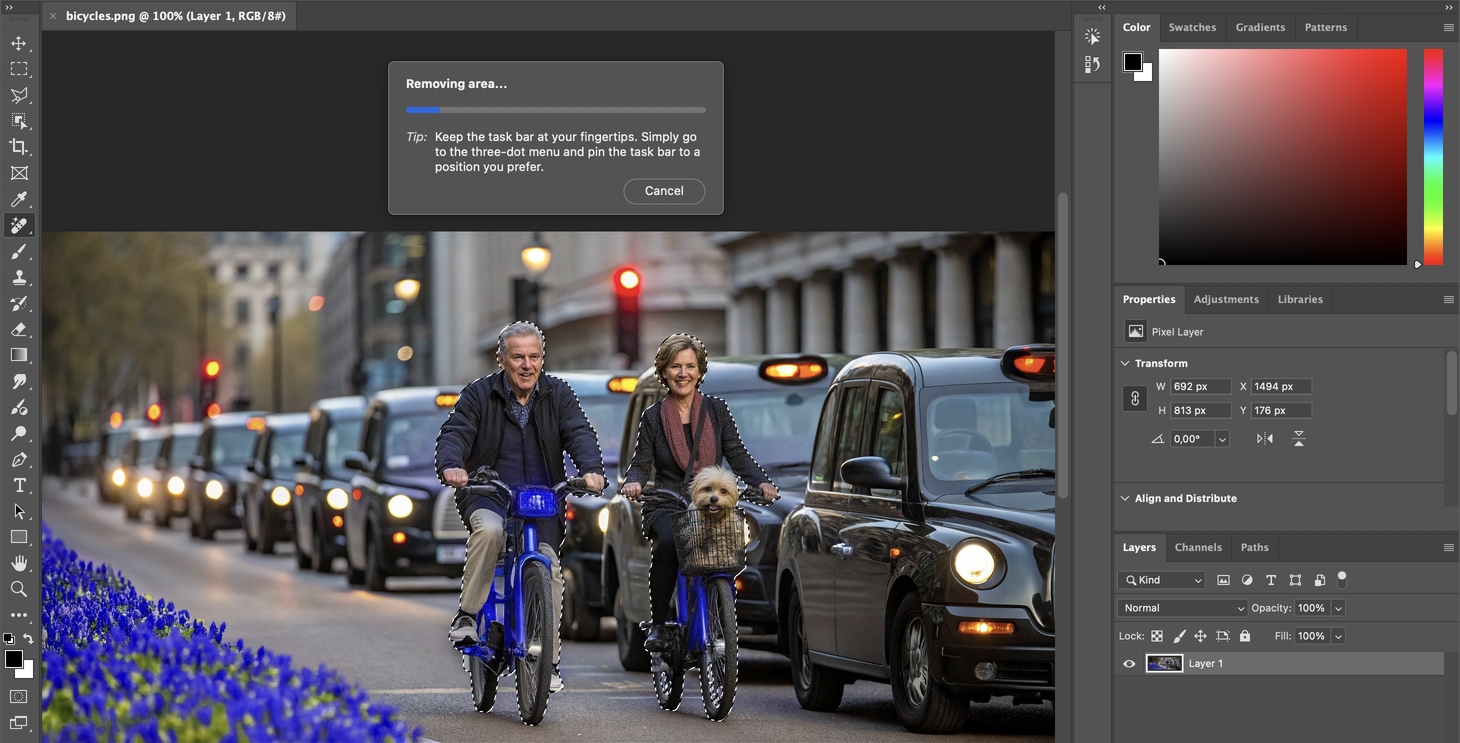
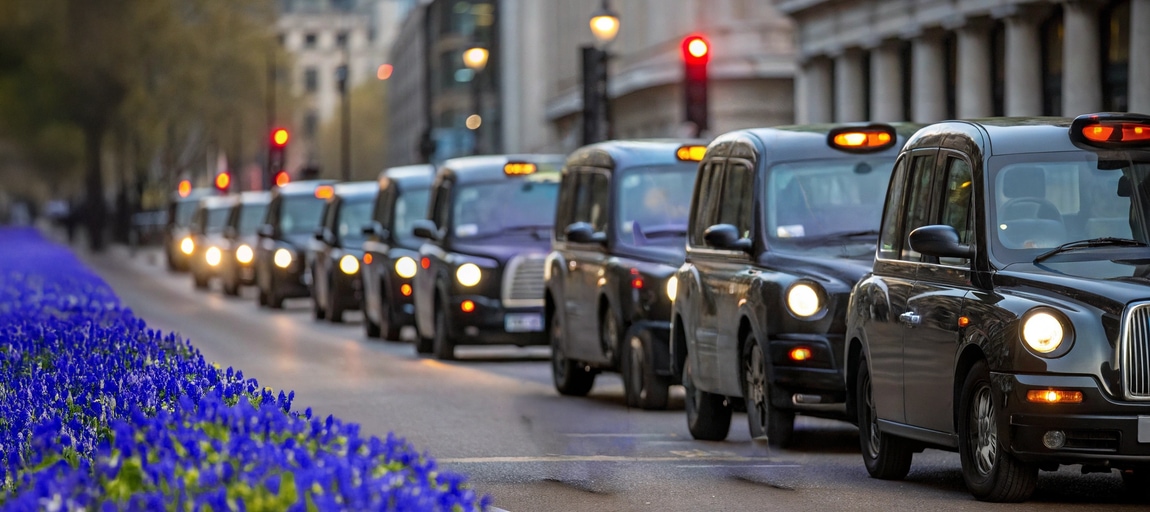
Once I have a clean background, I can place people and their heads onto it at different scales. Here you can see how much I’ve reduced the size of the heads compared to the original generated image. I’ve also adjusted the angle of the heads slightly. All that remains is to restore the background.

That’s how it works. AI isn’t a magic wand, it can’t fulfil your wishes exactly, and no prompt can transfer the image in your head exactly into the neural network's brain. A trained eye and the ability to work quickly with your hands are still essential qualities for a designer.
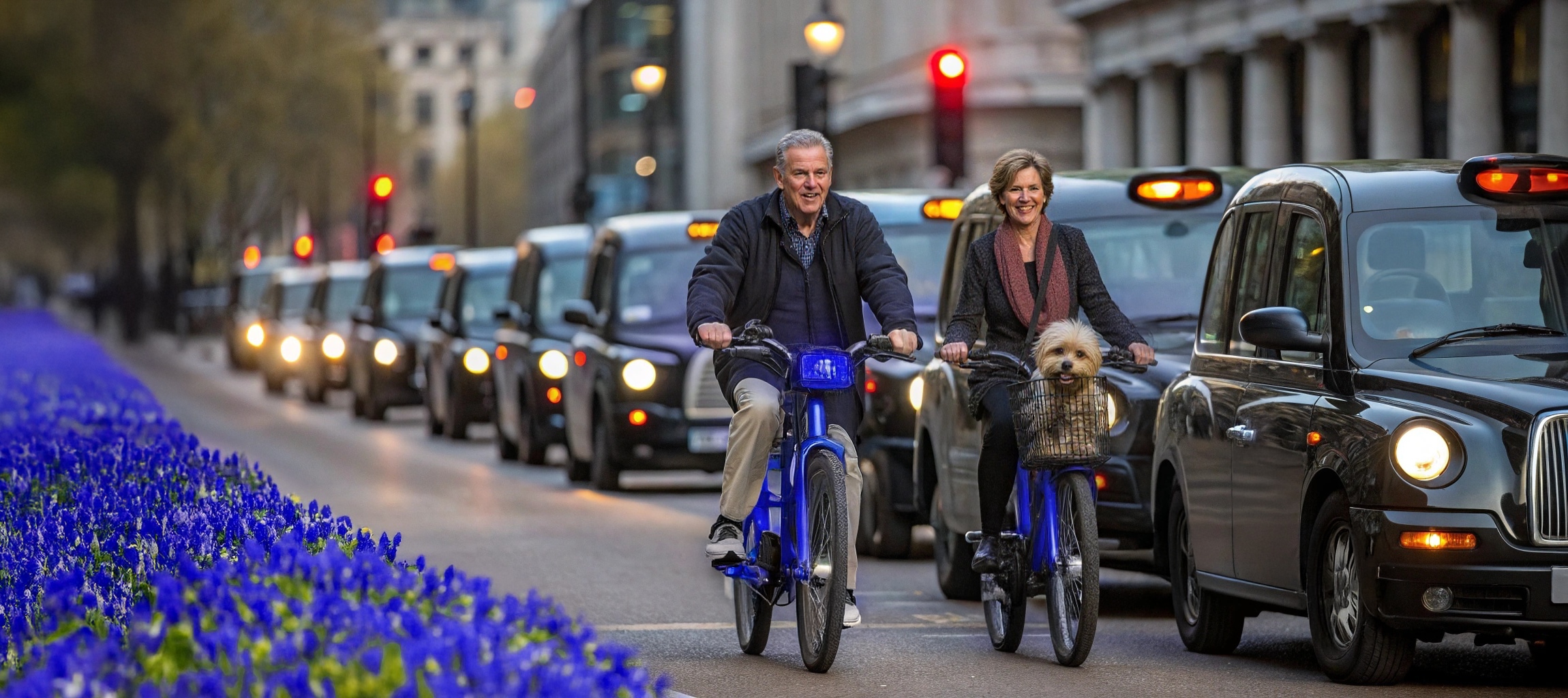
An even more interesting example is the use of AI to process real photos. I wanted to use this photo, which shows me with my colleagues, for my website. But the proportions of the photo aren’t right. I need a wider one. To achieve this, I need to generate the missing background.
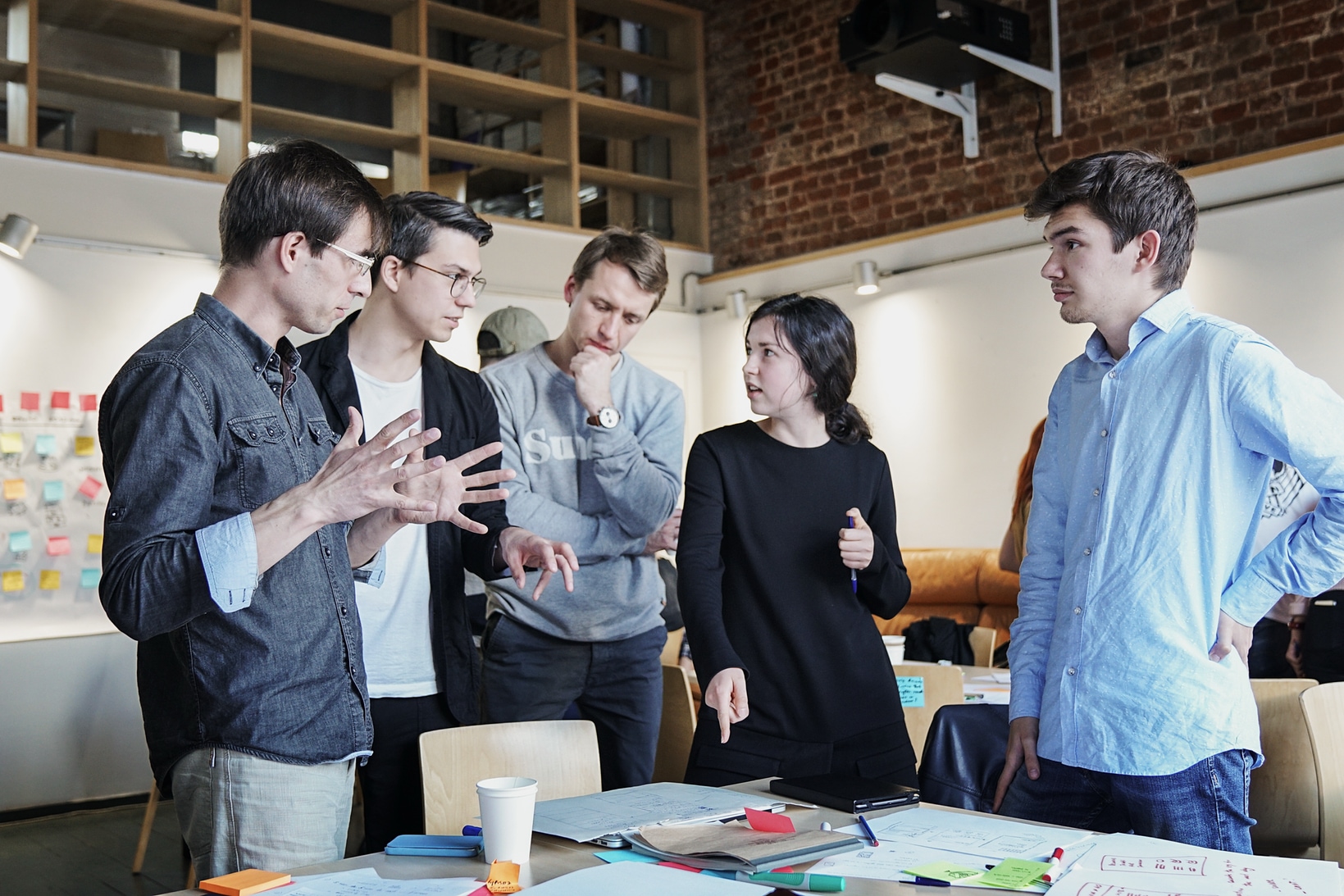
Attempts to reconstruct the missing background from numerous photos of the room using various neural networks turned out to be so terrible (regardless of how good you are at prompt engineering) that I won’t even bother to show them here (perhaps my quality standards are too high?). Fortunately, I had a panoramic photo of the room that I’d taken on my iPhone.
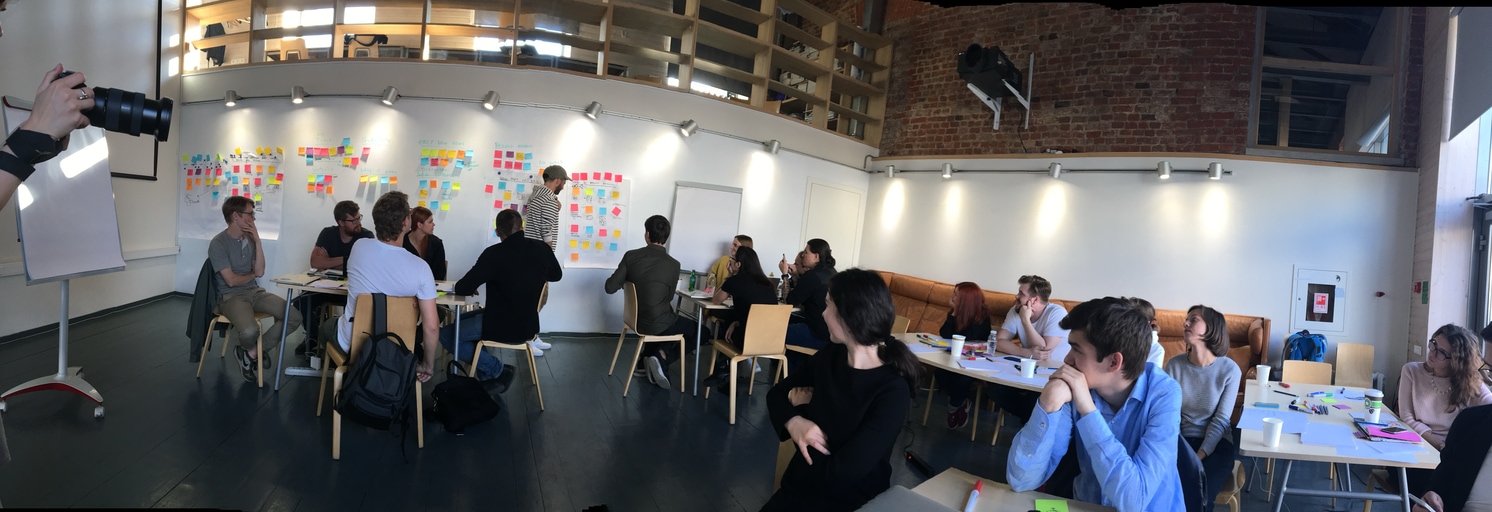
Using the AI tools built into Photoshop and Pixelmator, I removed the people in the foreground (I then had to touch up the generated background by hand) and restored the black areas at the top and bottom of the photo (these are artefacts caused by the phone shaking whilst taking the panorama).
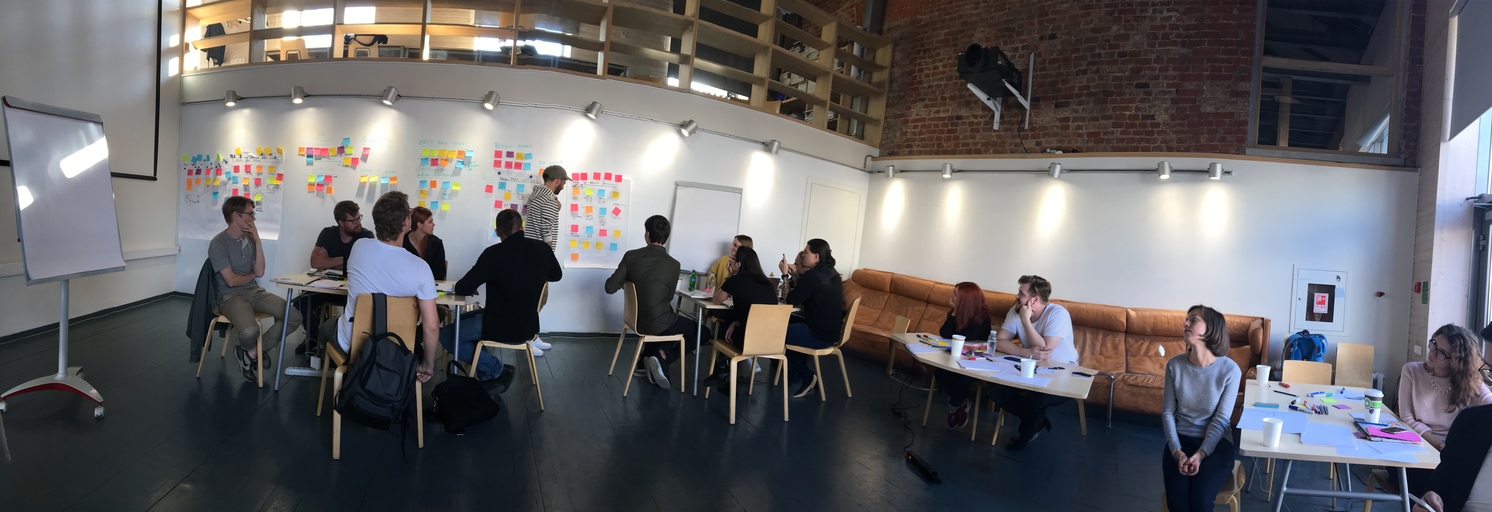
I tried a few neural networks, but suddenly ChatGPT produced the best result for merging the two photos. The only drawback is that ChatGPT generates photos that aren’t high enough resolution.
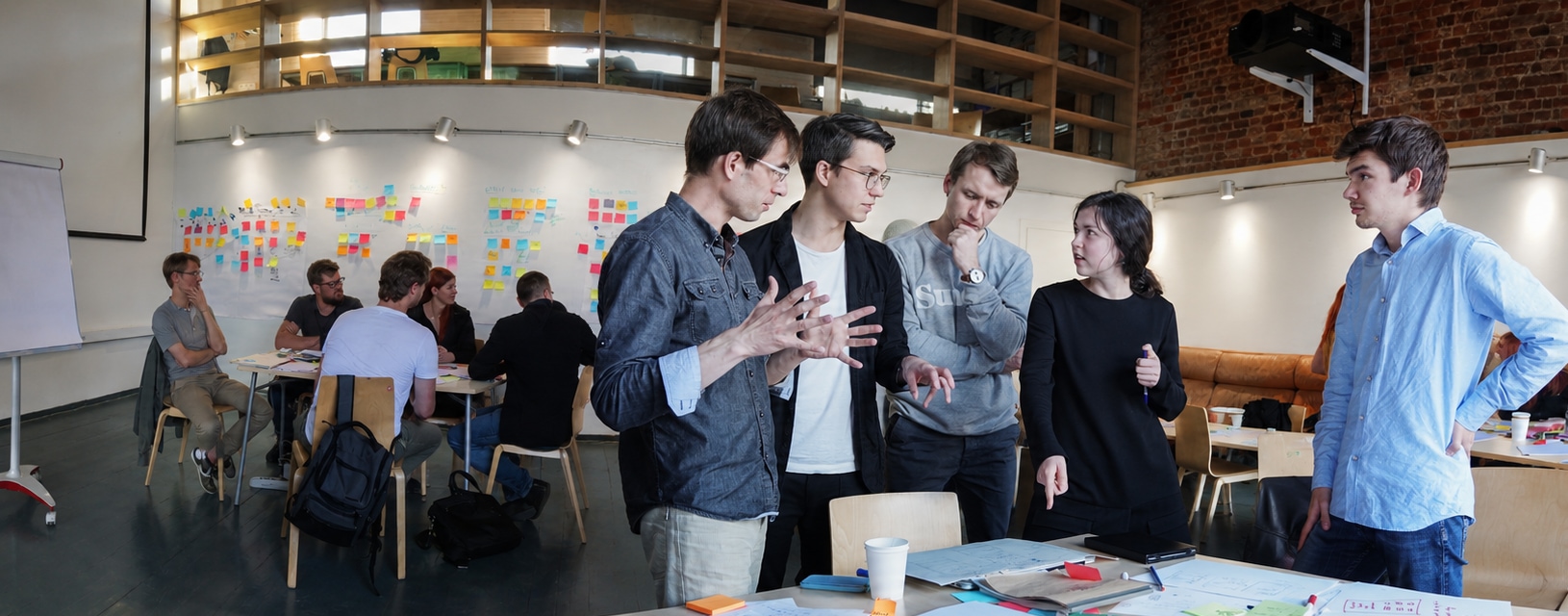
To increase the resolution, I used Topaz – currently the best neural network for this purpose. However, it adds a contrasting outline to objects, which is particularly noticeable on the people in the foreground.

I had to remove all the outlines around the people manually using a brush. This took about 20 minutes. I then realised that I wasn’t happy with the quality of the hair. As I had a high-quality photo, I decided to use it as a reference for replacing the faces, using various local AI models within the Comfy system.
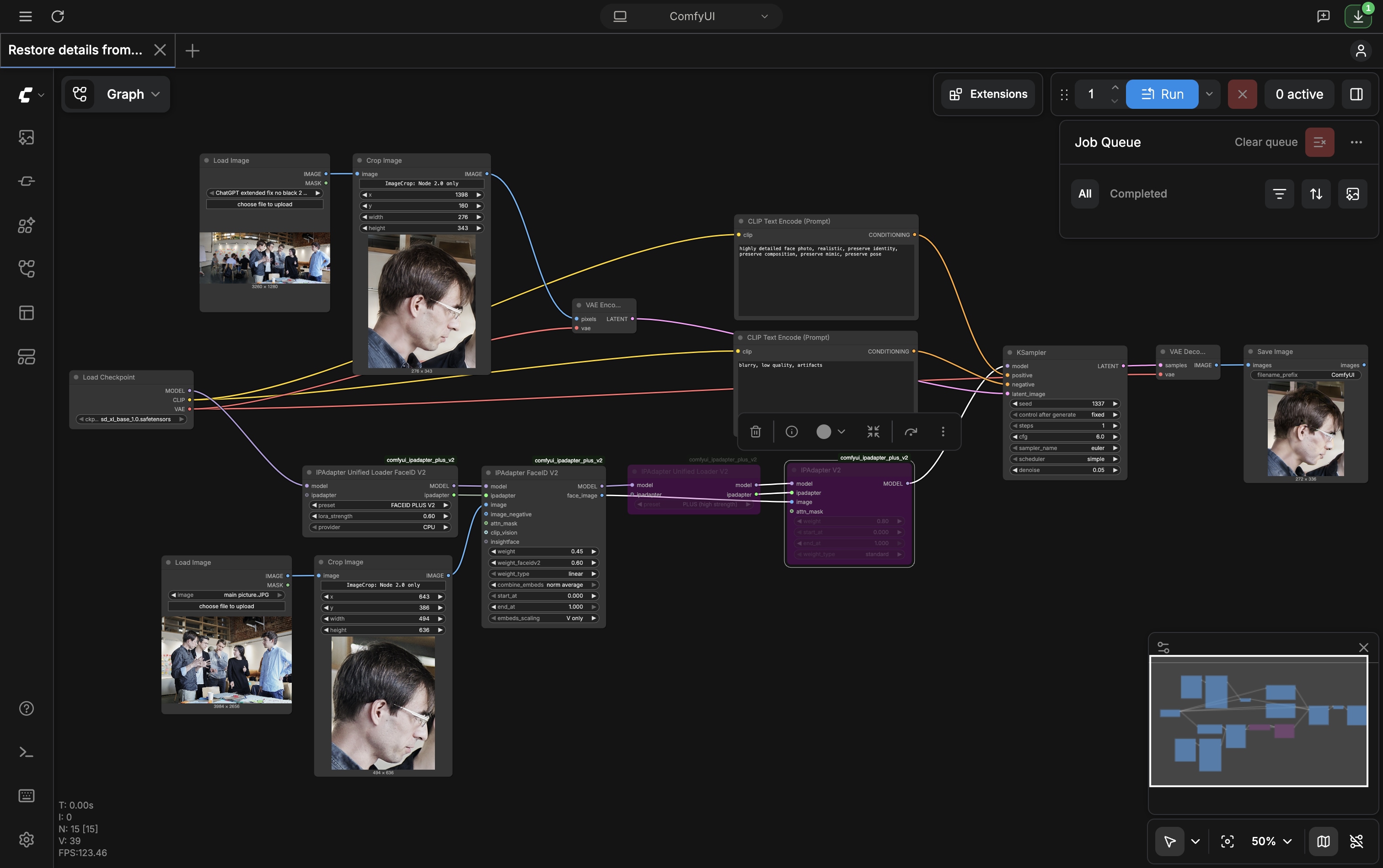
Unfortunately, the quality wasn’t very good, and I nearly fell into the trap of ‘fiddling with the parameters’, which can go on forever. It’s very important to stop in time and realise that some of the work is quicker to do by hand.
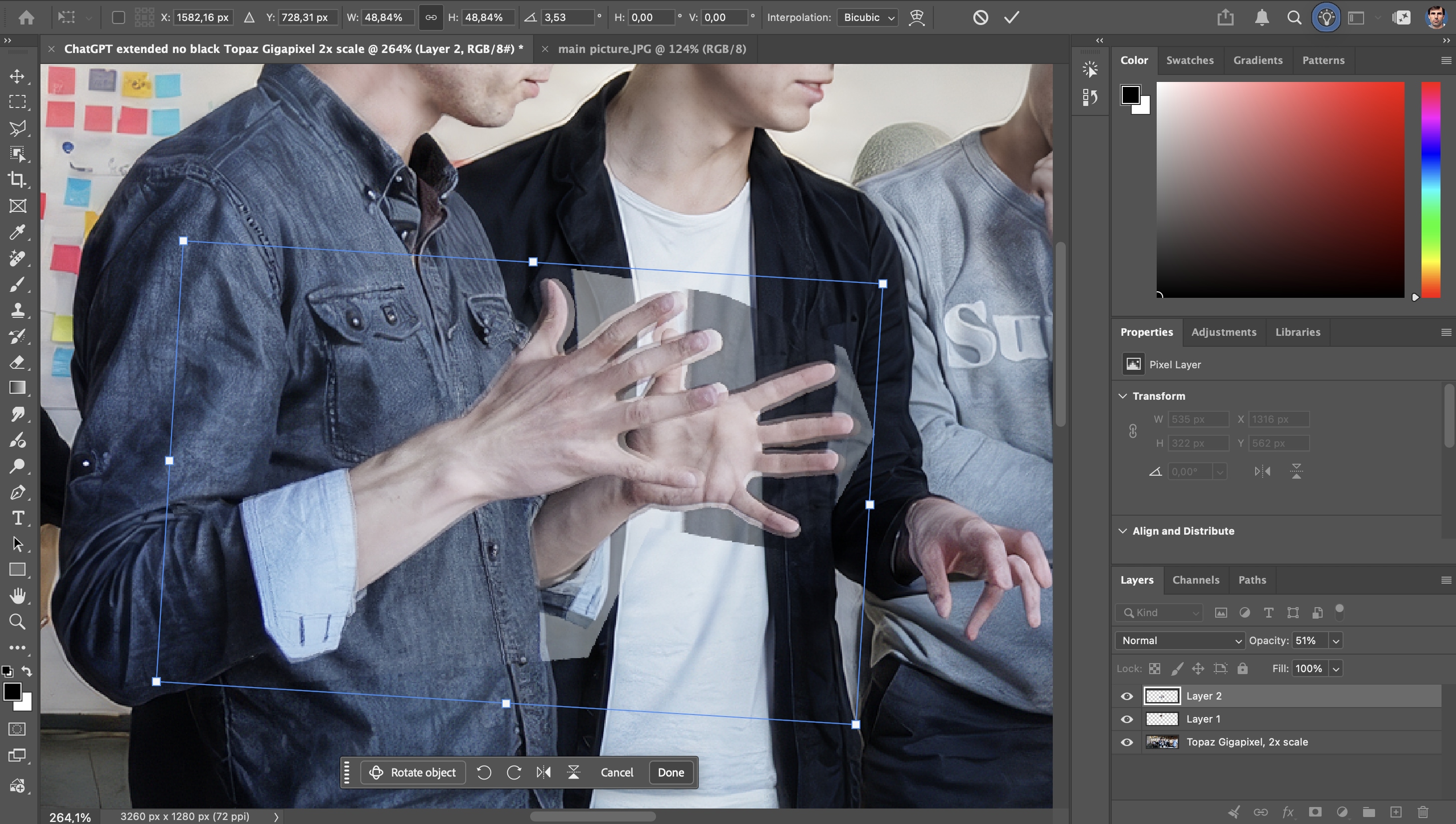
I copied details such as the face and hands from the original high-quality photo, adjusted the scale and angle, merged them with the image generated by ChatGPT, and retouched the seams. You may also have noticed that I manually moved the shoulder I wasn’t happy with and finished drawing the background behind it. This took another half an hour. Now the image doesn’t look generated (at least, I look natural). In addition to this, I selected and darkened all the figures apart from my own – this is much quicker than writing a prompt to change the lighting and waiting for the results to be generated.
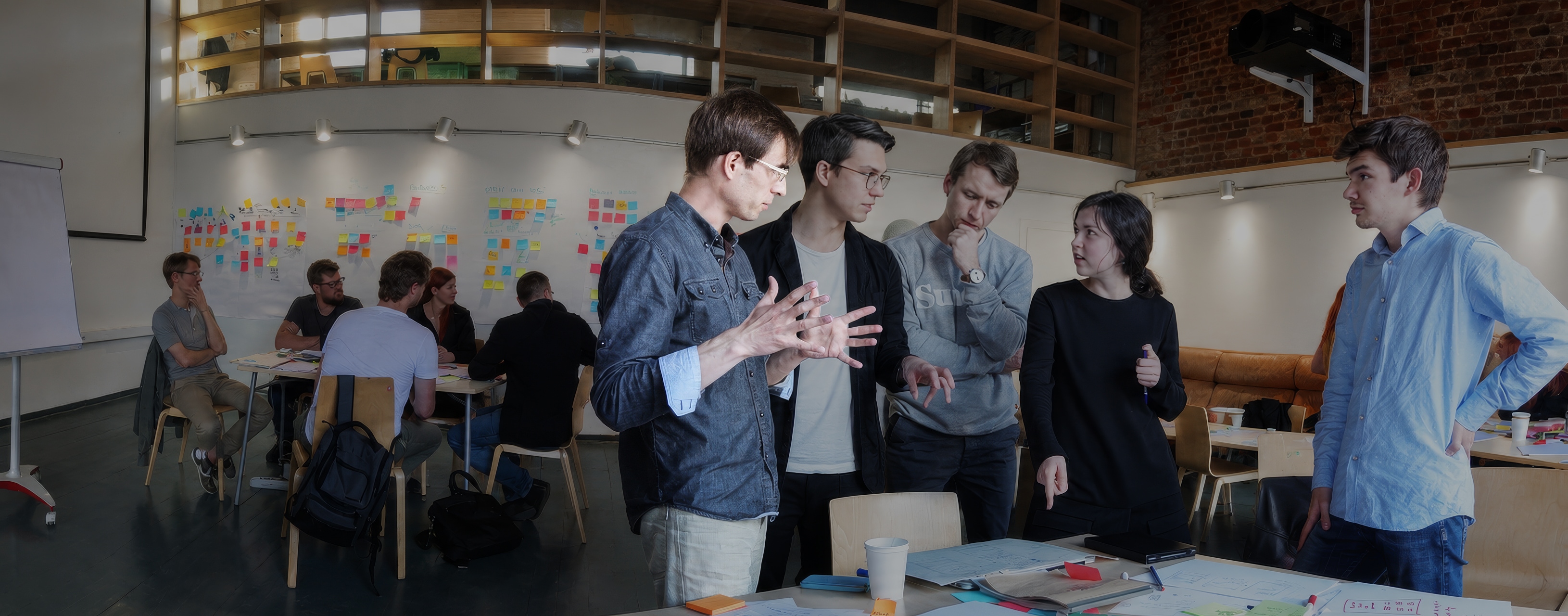
To sum up, it took a whole day to try to build everything using AI-generation only. By contrast, the semi-manual approach took just an hour and a half. If someone were to say that it can be generated in an hour, the correct answer is: no, not with that level of quality and realism.
Statistical analysis
Amplitude has launched an AI chatbot that you can ask any question about statistics. However, I have described a more interesting example of statistical analysis using Claude Code agent here.
Building a CJM
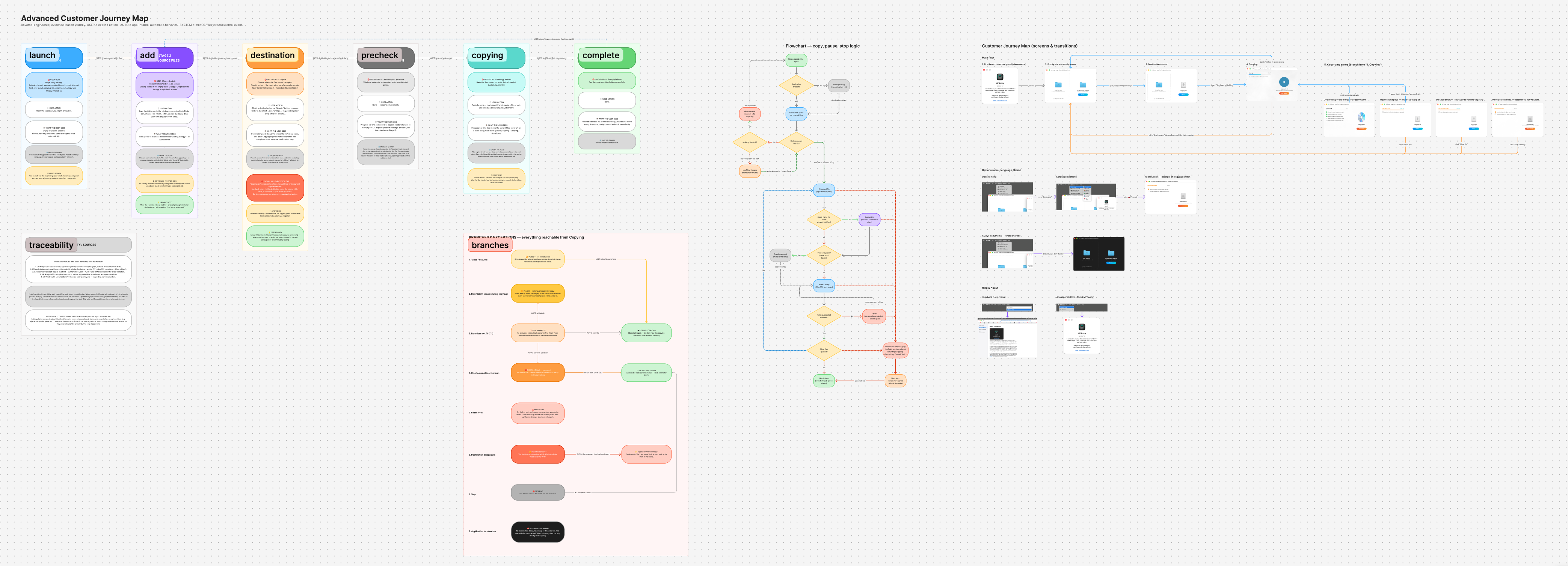
I have created Claude Code agents that take a Figma page url or a project’s source code and automatically carry out a UX audit. The agents were trained using an audit methodology that I developed myself. You can read more about this in a separate article.
Prototyping
I can now create prototypes and even finished products in XCode. To be honest, my knowledge of the Swift programming language is only at a basic level, so I use Claude Code. But I still can’t do without manually tweaking the code – it’s often quicker and saves on tokens. And no AI can design a product’s behaviour as well as an experienced product designer.
Here’s an example of a product I created entirely on my own in 2 weeks – from concept validation with a Bash script to icon design, programming, writing documentation, localisation and extensive testing. Download the app from the App Store and try it out (not yet available in the European Union).
Generally speaking, major companies are successfully integrating AI into their products, and an individual employee at your company cannot compete with them. You might expect a designer to code their own AI plugin for Figma, but Figma’s developers will do it faster and better. They form a partnership with Anthropic, and then Anthropic release Claude Design based on their joint efforts. Companies such as Adobe are also integrating AI into their products, and designers simply won’t be able to avoid using them. The AI-powered Spot Healing Brush tool appeared in Photoshop over 20 years ago, the automatic tracing of raster images and their conversion to vector graphics first appeared more than 30 years ago. If you still think that designers aren’t making enough use of AI, the reality is quite the opposite: designers were among the first to start using AI tools to speed up and automate their work. In the design community, news of genuinely useful AI tools spreads like wildfire. You really don’t need to worry about this at all.