Options
The Options menu in the menu bar holds MP3copy's settings. Your choices are saved between launches.
- Language
-
Switches the app's own interface language immediately, with no relaunch needed. This only changes MP3copy's own text; system-provided elements like the folder picker still follow your Mac's system language.
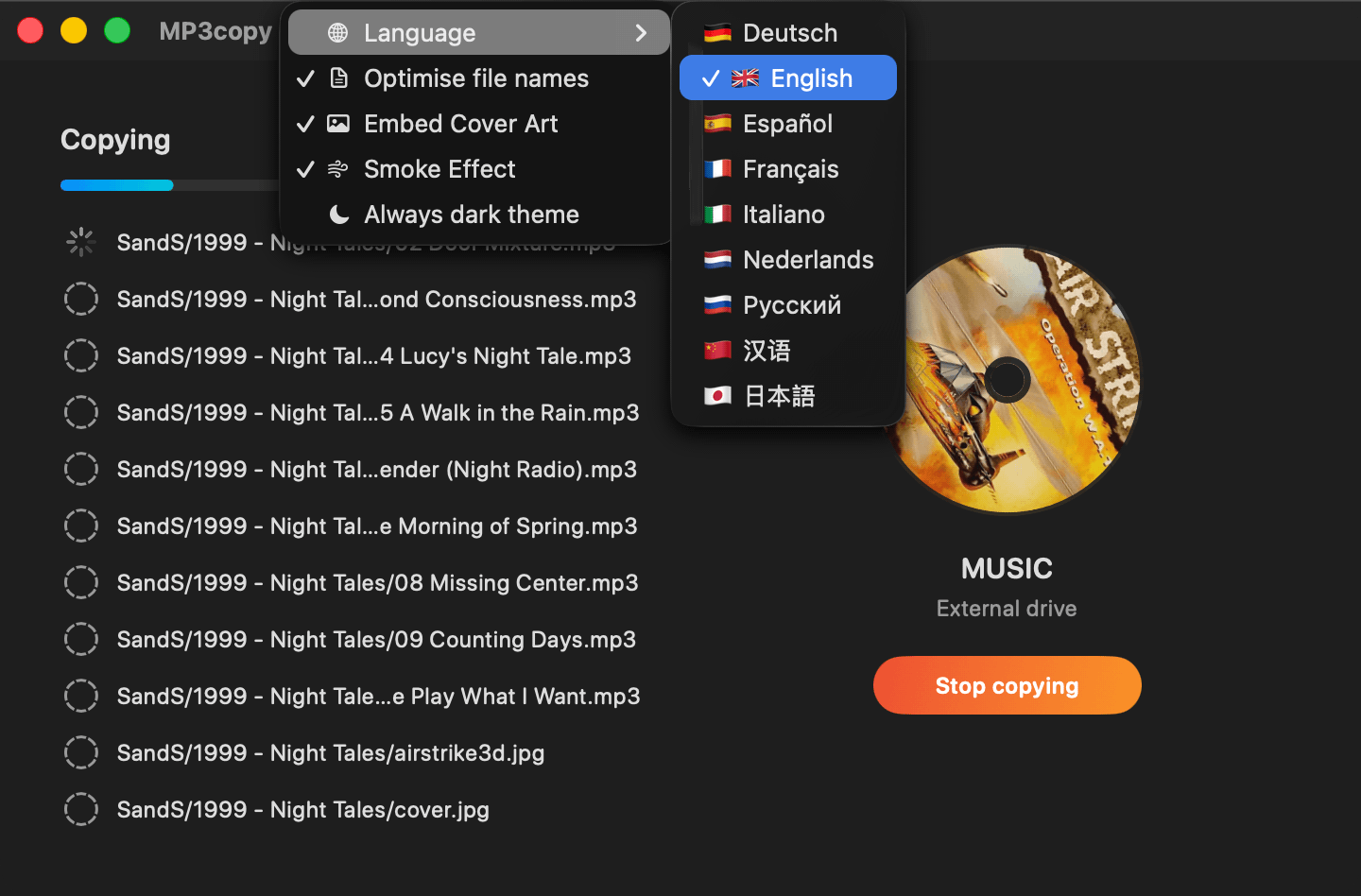
- Optimise file names
-
Only the copies written to the destination are affected — your original files are never renamed or otherwise modified.
Cleans up an album folder's name and its tracks' file names before copying: text that's already redundant with the album name (artist, album title) is stripped out of each track's file name, track numbers are padded to a consistent width so they sort and line up correctly, and the album folder itself is renamed to a
Year - Titleform using the year found in the tracks' own embedded tags. A playlist file that references the renamed tracks has its own references rewritten to match, so it still points at the right files afterward. - Embed Cover Art
- For MP3, FLAC, WAV, and AIFF files that don't already carry their own embedded artwork, this embeds whatever cover image sits alongside them in the same folder. MP3copy never looks for cover art online — everything happens locally.
- Smoke Effect
-
Turns the animated smoke effect behind the window on or off.

- Always dark theme
- Forces MP3copy's window to use a dark appearance regardless of your Mac's system-wide light/dark setting.